LCH 4
| Instruction CMS block | LCH 4 guide |
|---|---|
| Tester | No |
Installation Guide Large Compression Handle
Large compression handles are typically used on toolboxes, ute bodies, trailer doors, cabinets, caravans and many other applications.
This installation guide is for our central locking adaptor kit which suits the large compression handle of the same dimensions and as shown in the below picture and the pictures on page 3 of this guide.
No wiring is supplied with this kit. This kit must only be installed by a competent person. No handle is supplied with this kit and the handle in this guide is shown for illustration purposes only.
Read complete installation guide before continuing.
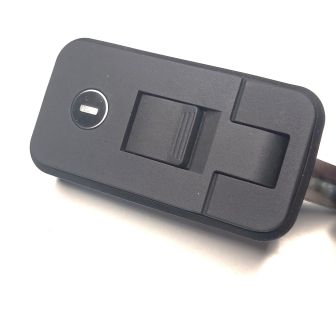
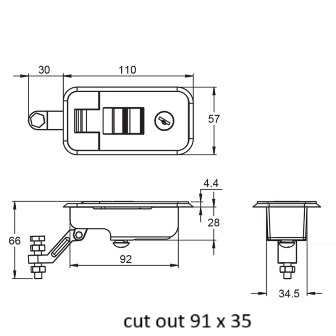
Kit Contents
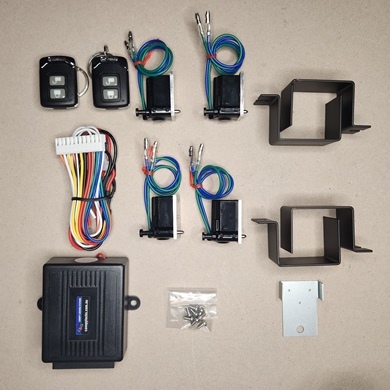
LCH 4/R
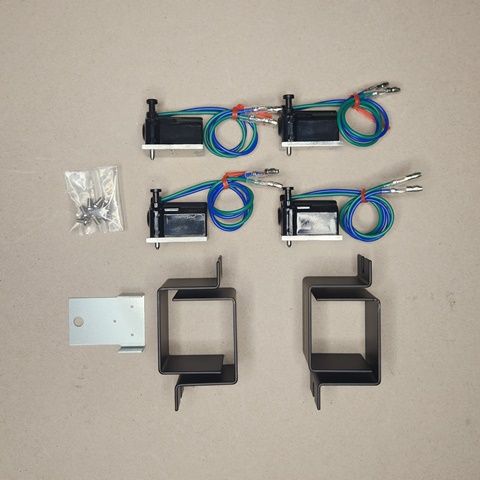
4 x Actuators 1 x Drilling template
8 x M3 x 6 screws + washers 4 x Protection Brackets
Remote control unit, plug to controller, 2 fobs
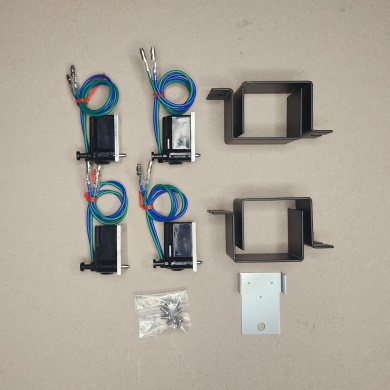
LCH 4
4 x Actuators 1 x Drilling template
8 x M3 x 6 screws + washers 4 x protection brackets
Suggested tools
Drill press 1.5mm hss drill 3mm hss drill 3.5mm hss drill 4mm hss drill
Loctite or similar PH 1 Screwdriver countersink bit
1. Check your handle is of same dimensions and is the same as the above picture and the pictures on page 3 of this guide.
2. Remove the handle from the door.
3. Place the template on the handle as shown in picture 1, making sure the template is flat on handle body.
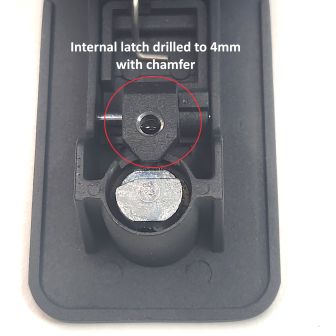
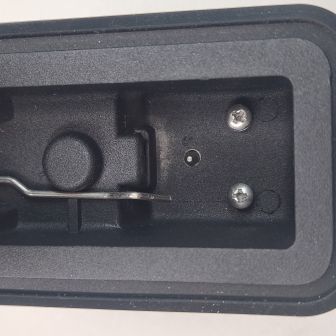
4. With handle in the closed position and locked with the key (this is so the internal latch doesn`t move when drilling) hold the handle in a drill press (I used a rag on the drill press so not to scratch the handle). Drill the 3 holes through the template and handle body with a 1.5mm drill. This will ensure the hole centres are accurate. The centre hole must also be drilled through the internal locking latch. (approx. 11mm deep from the top of the handle body). Then remove the template and drill the 3 holes as shown in picture 2, (2 x 3mm & 1 x 3.5mm). Holes must be at 90 deg to handle body. Picture 3. Drill the 3.5mm hole through handle body and the internal locking latch, (approx. 11mm deep from the top of the handle body). Then unlock the handle and open it, then use the key to put the barrel back to the lock position, and drill the internal latch hole out to 4mm, do not drill the handle body with the 4mm drill or go any bigger than 4mm in the internal latch, or the adaptor will not work. Put a small chamfer on top of the 4 mm hole. Picture 4. Ensure all burs and swarf is removed from inside the handle. Put the barrel back into the unlock position.
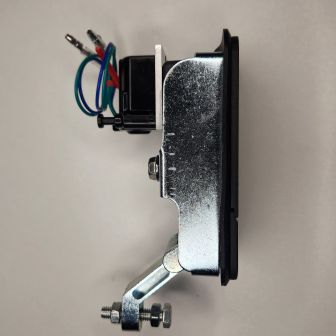
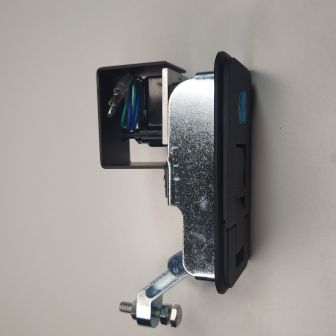
5. Using the supplied M3mm x 6mm pan head screws & spring washers install locking actuator onto handle, it is recommended that Loctite or similar be applied to the threads of the screws that secure the locking actuator, so they don`t work loose over time. A dob of grease on the screwdriver tip helps the Stainless-steel screws stay on the screwdriver. pictures 5 & 6
6. Check that locking pin moves freely through the handle body, if not loosen the 2 screws, adjust and retighten, also make sure the locking pin is engaging with the internal locking latch by either manually pushing the actuator pin in (towards the handle body) or momentarily applying power to the actuator. A 9-volt battery will work for this test. When it is engaged the handle will not open.
7. Once tested and working ok, reinstall the handle in the door. Then install the protection bracket using the mounting screw to keep it in place.
8. The handle can still be locked with the key; however, the key must be in the unlocked position for the central locking to work.
9. If you purchased the LCH 4/R, follow the remote-control installation guide to connect locking actuators.
10. If connecting the locking actuators to the vehicle central locking, we recommend that an auto electrician do the connection. No wiring diagram is supplied for this option.
Canopy Locking Systems takes no responsibility if this guide is not followed, and holes are drilled in the wrong position. If unsure about any steps, please contact us at sales@canopylocks.com.au
A copy of this document can be found at
https://www.canopylocks.com.au/compression-handles/lch-4-r.html.
Warranty is 12 months from invoice date for all parts supplied in the kit. Contact sales@canopylocks.com.au for all warranty claims. Warranty will be void if any of the supplied parts are altered in any way.
Specification: Actuator 12 Volts, stall current of 4 x Actuators 904 mA
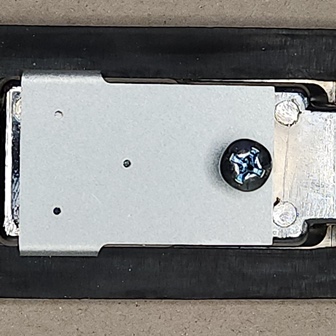
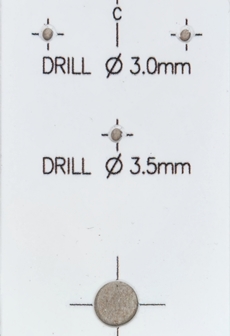
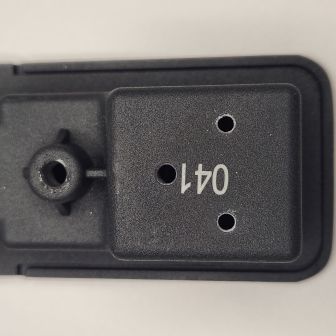
Remote control unit installation guide
Mount controller anywhere in cabin or somewhere that is waterproof and accessible (this is important for accessibility in the event of unforeseen failure). Now referring to the wiring diagram below, run a 15-amp cable to the controller from a positive power source to the red wire. Connect the black wire to the negative. Then run 2 wires (3mm 10 amp) from the controller white & white/black to the first actuator and then loop wires to all other actuators, using loom tube and stick on mounts to secure the wiring. Connect all actuators to the cabling using female bullet connectors and the connect power to the controller.
Operate the remote controller and make sure all actuators travel in the same direction at the same time and when the lock button is pressed all are in the locked position. If any actuators are not travelling in the same direction, then reverse the connection at the actuators travelling in the wrong direction.
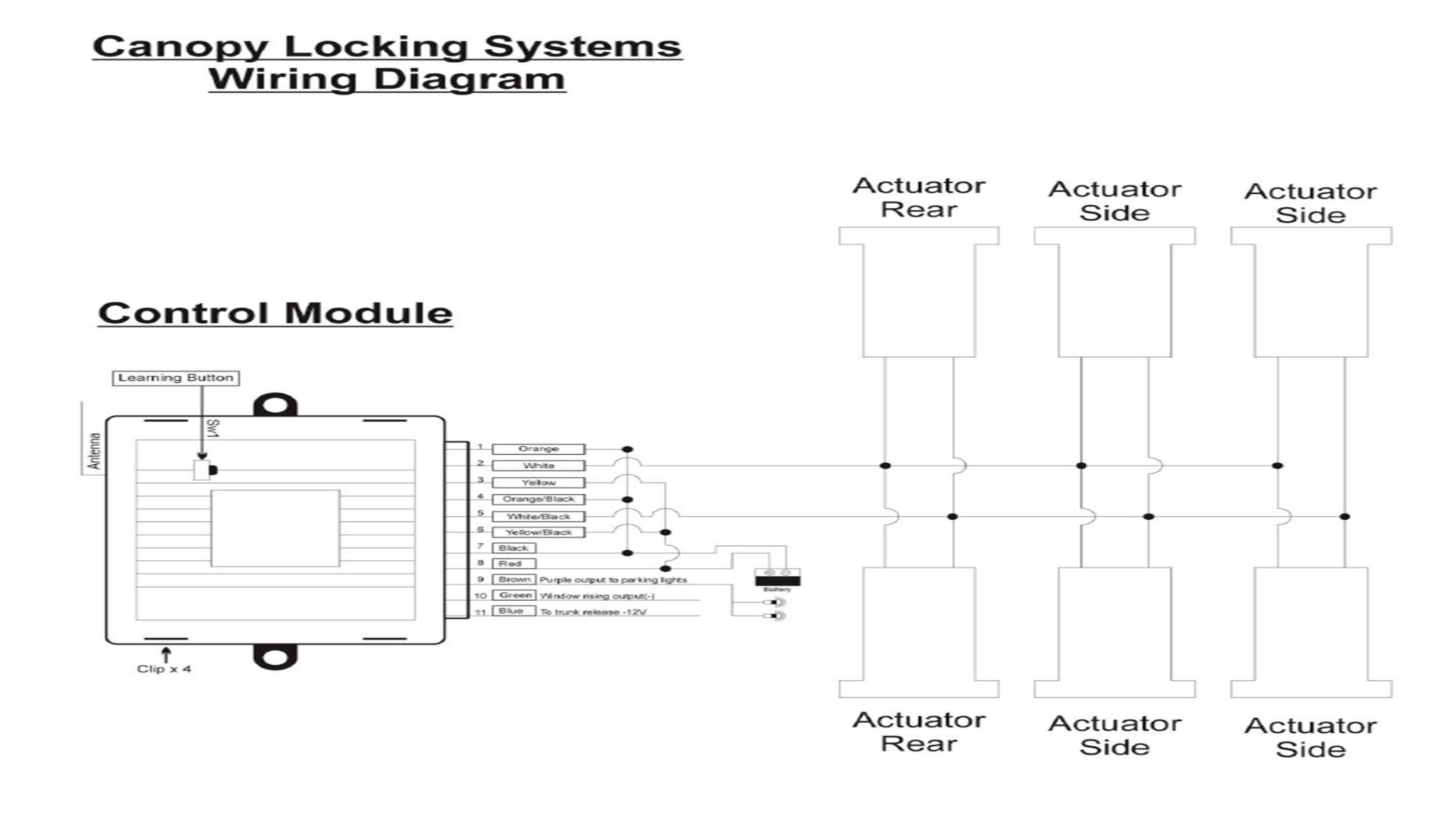
Pairing fobs to control unit
1 Open module by levering top of unit away from bottom at the 4 x clip points.
2 Press and hold the learn button and press any button on the fobs to be paired.
Green , blue & brown wires on control unit are not used.